How to Make SVG File Size Smaller
SVG files are supposed to be super lightweight.
But if you’ve ever vector traced an image from Illustrator or generated vectors with AI, you’ve probably seen the opposite.
Huge file sizes and bloated code...
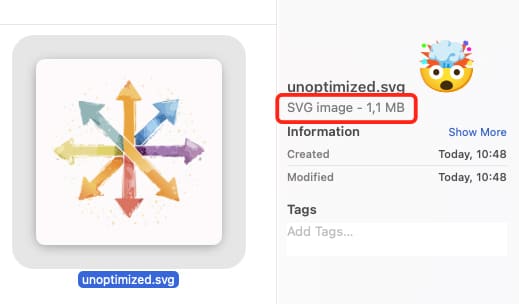
and SVGs like that are not normal!
Because these will load way slower than they should.
This is a common problem, especially with vector-traced or AI-generated SVGs by Adobe.
They look correct visually, but under the hood they’re packed with unnecessary points, messy paths, and redundant data.
As a result, a file that should be a few kilobytes can easily turn into hundreds.
That’s exactly where svg.design/optimize comes in.
Why Some SVG Files Are So Large? 🕵🏼♂️
Not all SVGs are created equal.
When vectors are traced from images or generated by AI tools, they often contain thousands of extra anchor points.
Paths are overly complex and most metadata is unnecessary.
And SVG shapes that could be simplified aren’t, so browsers still have to load all of that.
Websites slow down and apps become heavier.
And sharing or animating these SVGs turns into a pain.
The problem isn’t the SVG format.
The problem is unoptimized SVGs.
How to Optimize Your SVG Online 👇🏼
The SVG Optimize tool at svg.design/optimize cleans up your file automatically.
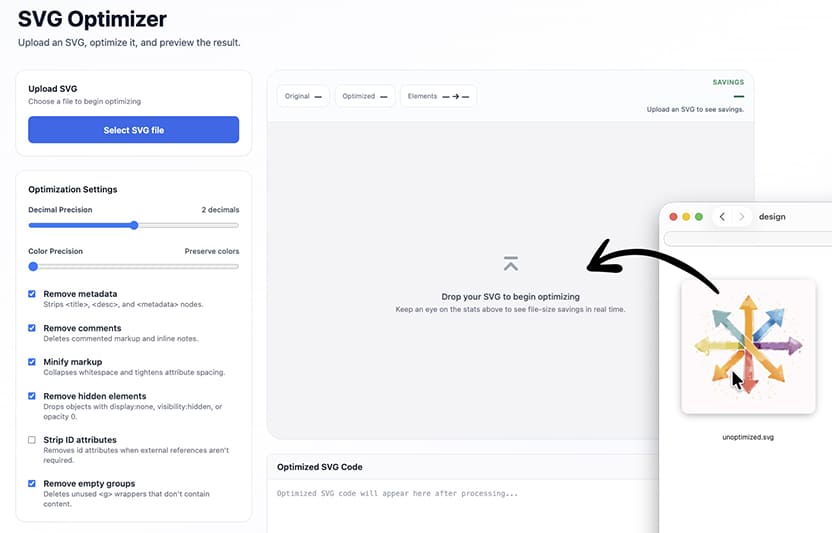
You upload your SVG and the tool analyzes the paths.
Then it instantly removes redundant points, simplifies curves, and strips unnecessary data.
This results in SVG files that are often up to 90% smaller, while looking exactly the same.
No visual loss and no broken shapes and thankfully no manual cleanup.
What Stays the Same (and What Gets Better) ✅
Your design stays visually identical (usually... mistakes can happen)
Colors don’t change and shapes don’t shift.
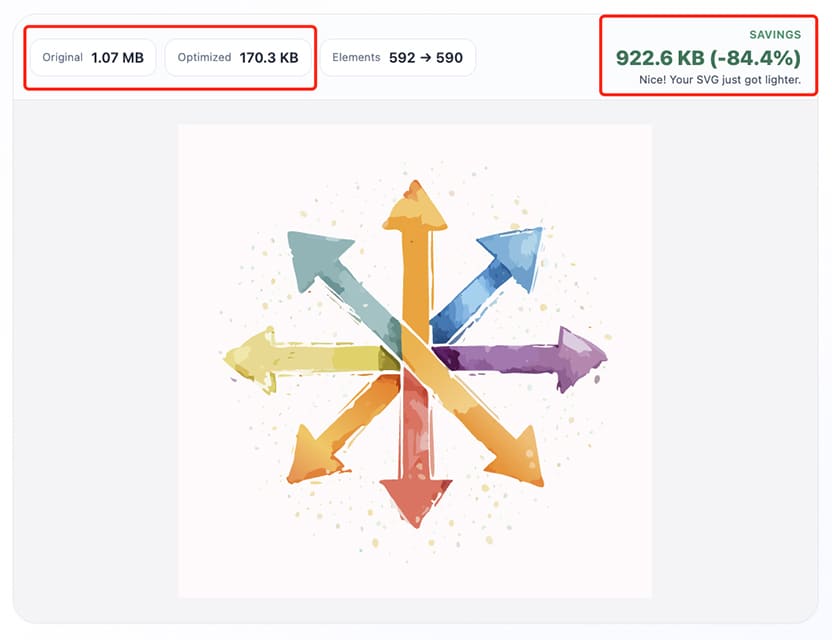
The optimized file becomes dramatically lighter.
That means faster loading times and better performance on websites.
And cleaner SVGs that are easier to reuse across projects.
This is especially useful for logos, icons, illustrations, UI assets, and anything generated from AI or image tracing.
Because No SVG Should Be Heavier Than a JPEG 🍕
If your SVG files feel heavier than they should, they probably are.
And instead of redrawing or editing the SVG manually by cleaning or deleting paths, you can fix the issue in seconds.
SVG optimization isn’t about changing your design.
It’s about removing everything your design doesn’t need.
And with svg.design/optimize, you get smaller files, faster performance, and cleaner vectors without sacrificing quality.

About the Author
I'm a vector artist and 3D designer and the founder of SVG.design. I love creating beautiful visuals and sharing what I've learned about design, productivity, and creativity with fellow artists and makers.